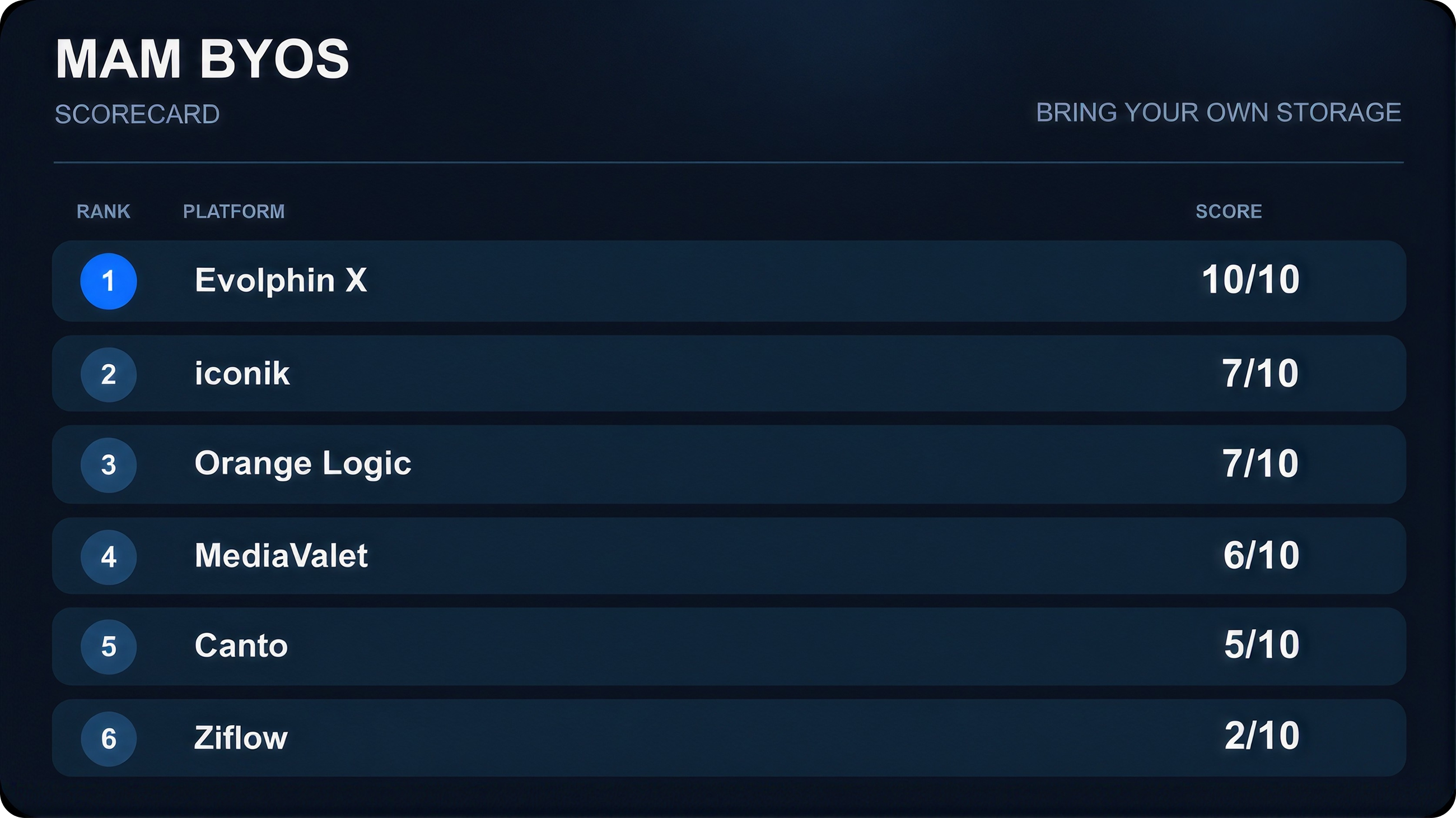
- BYOS doesn't mean the same thing across MAM platforms. Some platforms manage media where it already lives, while others still require assets to be copied into their own library.
- Evolphin X had the most complete BYOS workflow in this test, combining in-place indexing, duplicate handling and storage change detection.
- Iconik supports existing storage, but its workflow depends more heavily on scanning to discover changes across the library.
- Orange Logic has a strong hybrid model, although Media Bridge adds another infrastructure component that has to be deployed and managed.
- Canto and MediaValet use a different storage model, which becomes increasingly important once video libraries reach hundreds of terabytes or petabytes.
- Don't just ask whether a MAM supports BYOS. Ask what happens when files are added, moved, renamed, deleted or duplicated directly on your storage.
If you've already got 300 TB of video sitting on a NAS, the first thing you probably want from a new media asset management platform isn't a nicer upload UI. You want the system to work with the storage you've already got.
That sounds obvious, but once I started testing media asset management (MAM) platforms, it became clear that “bring your own storage” or BYOS can mean very different things depending on the product. In one platform your originals stay exactly where they are. In another, “connect your storage” eventually turns into “copy all of your files into our library.”
Those two approaches may look similar on a BYOS feature sheet. They look very different when you're dealing with millions of files.
For this test I looked at six platforms:
- Evolphin X
- Iconik
- Canto
- Orange Logic
- Ziflow
- MediaValet
I wasn't trying to decide which one had the prettiest upload screen. I wanted to understand what happens when a real production team already has years of media sitting on storage and doesn't want to rebuild everything around a new MAM.
What I tested
The BYOS test came down to a handful of practical questions. These are the questions I'd want answered before putting a large production library into any media asset management platform.
- Can I connect the storage I already have? That includes on-prem NAS or SAN storage as well as cloud storage, including AWS S3, Google Drive, DropBox and more.
- Can the originals stay where they are? Connecting storage isn't the same as managing files in-place if the system ultimately copies everything into its own repository.
- What happens when files change? A production library is never static. Files get added, renamed, moved, edited and deleted every day.
- How are duplicates handled? Large media libraries accumulate duplicates quickly, especially when editors and production teams work across multiple projects.
- Can I run a hybrid workflow? Ideally, high-resolution originals can remain on-prem while remote users work through cloud-accessible proxies and metadata.
- How much infrastructure do I need to manage? BYOS is less useful if it adds several new servers, gateways or processes that someone has to maintain.
Those questions produced much bigger differences than I expected.
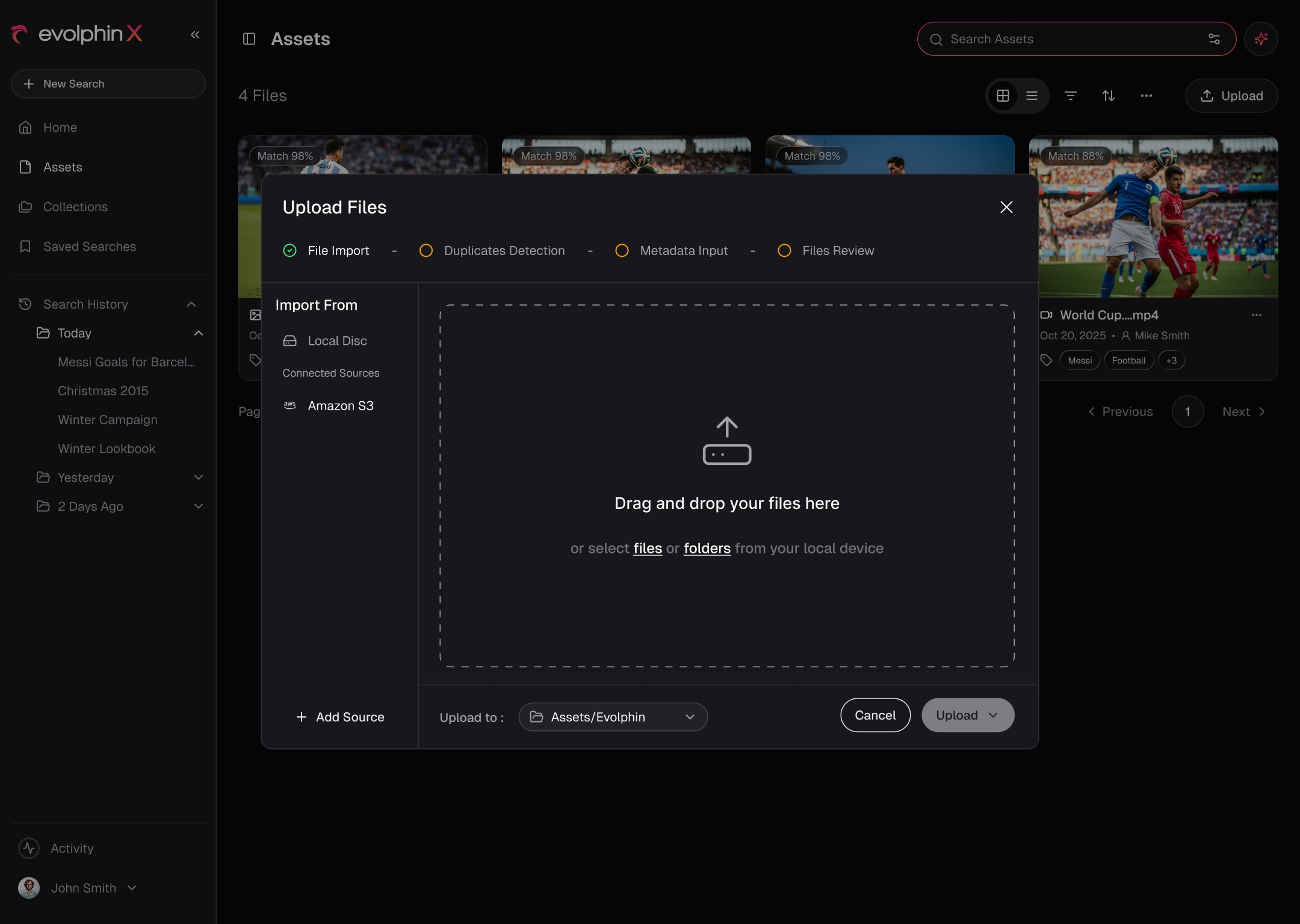
1. Evolphin X: keep the storage and manage the media in place
Evolphin X can connect to storage you already have, whether that's cloud storage or on-prem infrastructure.
.avif)
You can copy assets into Evolphin X if that's what you want, but you can also leave the originals where they already live and manage them in place. For a large media operation, that can remove a substantial migration project from the deployment.
.avif)
This is also where Evolphin X's broader media asset management approach matters. The platform is designed around working with large production libraries rather than forcing the storage architecture to fit the MAM.
Duplicate handling was one of the more interesting differences
Say you're ingesting an asset and the underlying media already exists somewhere in the system. Evolphin X can detect duplicates using the filename as well as the underlying file content/data, instead of creating another physical copy.
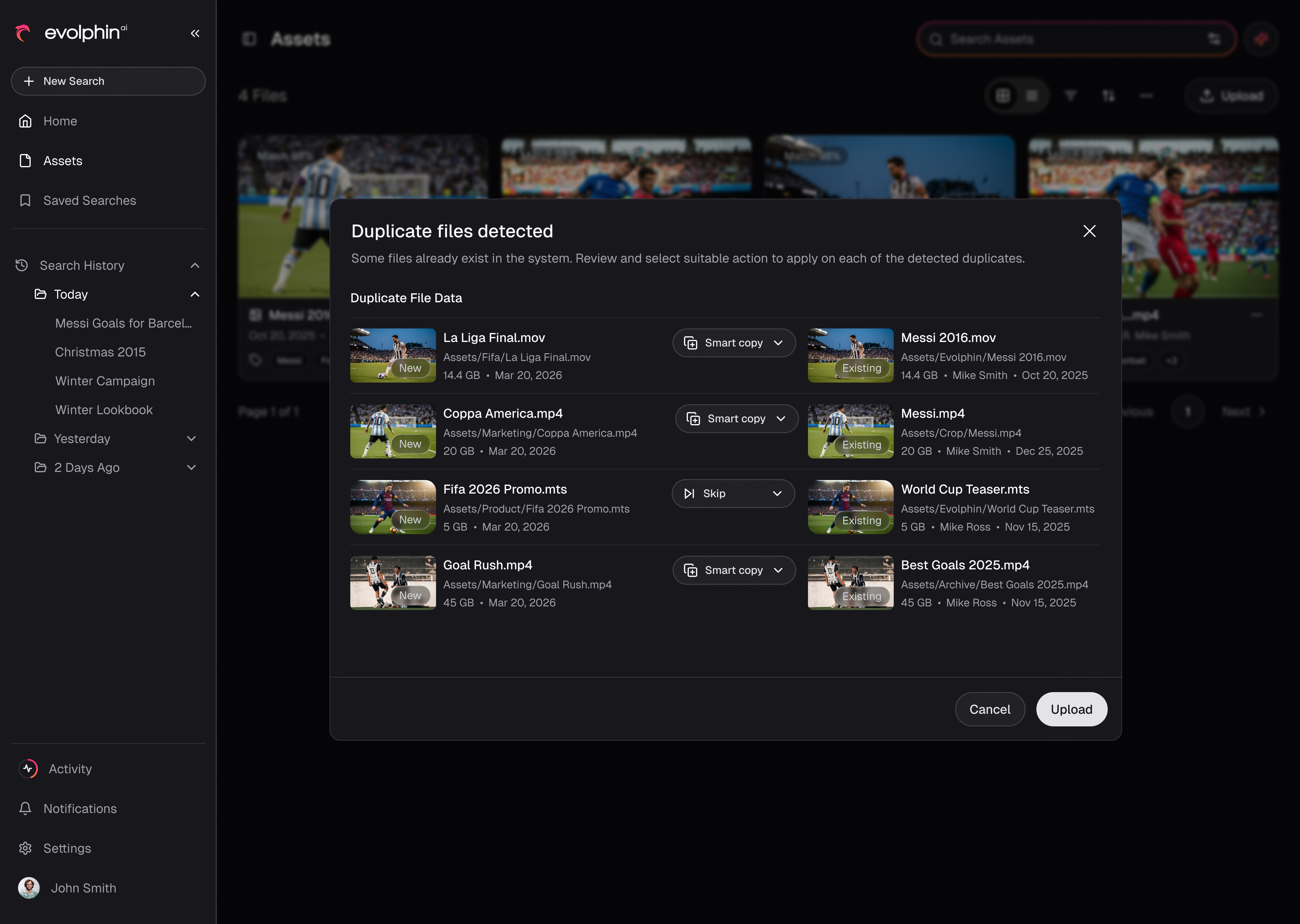
From there, you have a couple of options:
- Skip the duplicate
- Create a Smart Copy
- Rename the new file
A Smart Copy is useful because the same underlying media can appear in another project or folder without consuming another chunk of storage. Anyone who has worked around production folders full of final.mov, final_v2.mov and final_REAL_FINAL.mov can probably see why that becomes useful pretty quickly.
The bigger difference was change detection
Connecting a storage volume once isn't particularly difficult. The real challenge is keeping the MAM synchronized with that storage as people continue working.
If someone adds files, moves them, modifies them or deletes them, Evolphin X can update those specific changes without requiring a full scan of the entire library. That matters once the library grows into millions of assets.
What stood out: Evolphin X gave me the fullest BYOS model in this test. Existing storage could stay in place, duplicates didn't necessarily mean another physical file, and storage changes could be reflected via actionable alerts without depending on a complete rescan.
2. Iconik: BYOS works, but scanning plays a bigger role
Iconik also supports existing cloud and on-prem storage without requiring all originals to move into the platform. So on the basic BYOS question, Iconik clearly qualifies.
The main difference I found was in how changes on that storage are discovered. Iconik uses storage scans, which can be scheduled or run manually.
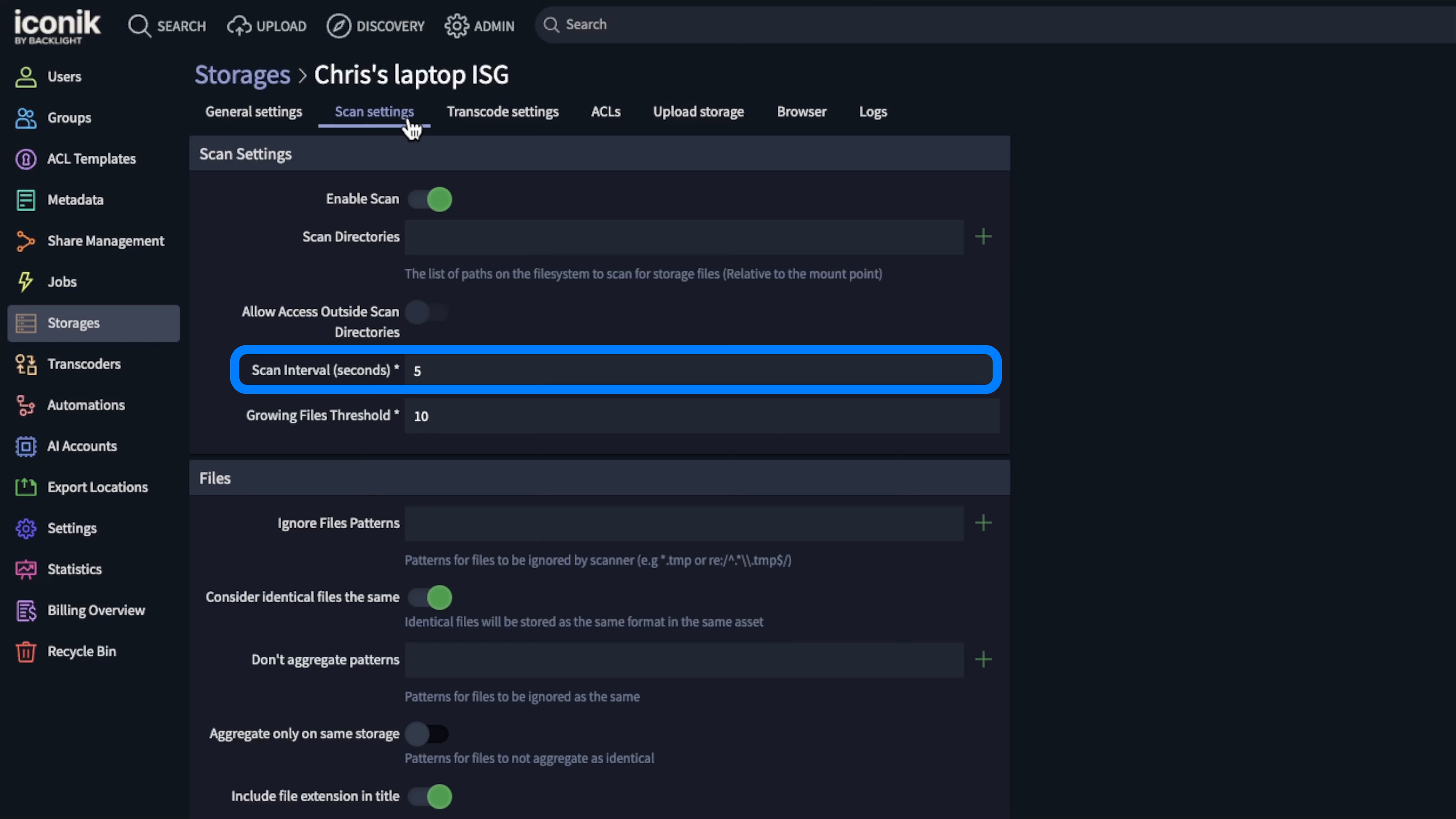
For a small or relatively stable library, say with < 40k files, that may not matter much. But once you're dealing with millions of files and an environment where people are continually editing, adding,moving and deleting media, the behavior of those scans becomes more important.
What I'd test carefully with Iconik
- How long do storage scans take at our actual scale?
- How quickly does new or changed media become available to users?
- How much gateway and scan configuration will our team need to maintain?
I also didn't find the same duplicate workflow I saw in Evolphin X, where existing media could be represented through another logical reference rather than another physical copy. Likewise, I didn't find an equivalent event-style change detection workflow in this test.
That doesn't make Iconik a weak BYOS option. It means the sync architecture is one of the areas I'd test with your actual library size and actual daily change rate, rather than relying on a small demo environment.
3. Canto: straightforward DAM, but a different storage model
Canto was probably the clearest example of why all media asset management tools shouldn't automatically be compared as though they solve the storage problem in the same way.
The interface is clean and approachable, and getting files into the system is straightforward. For a traditional marketing or brand asset library, that's a real advantage.
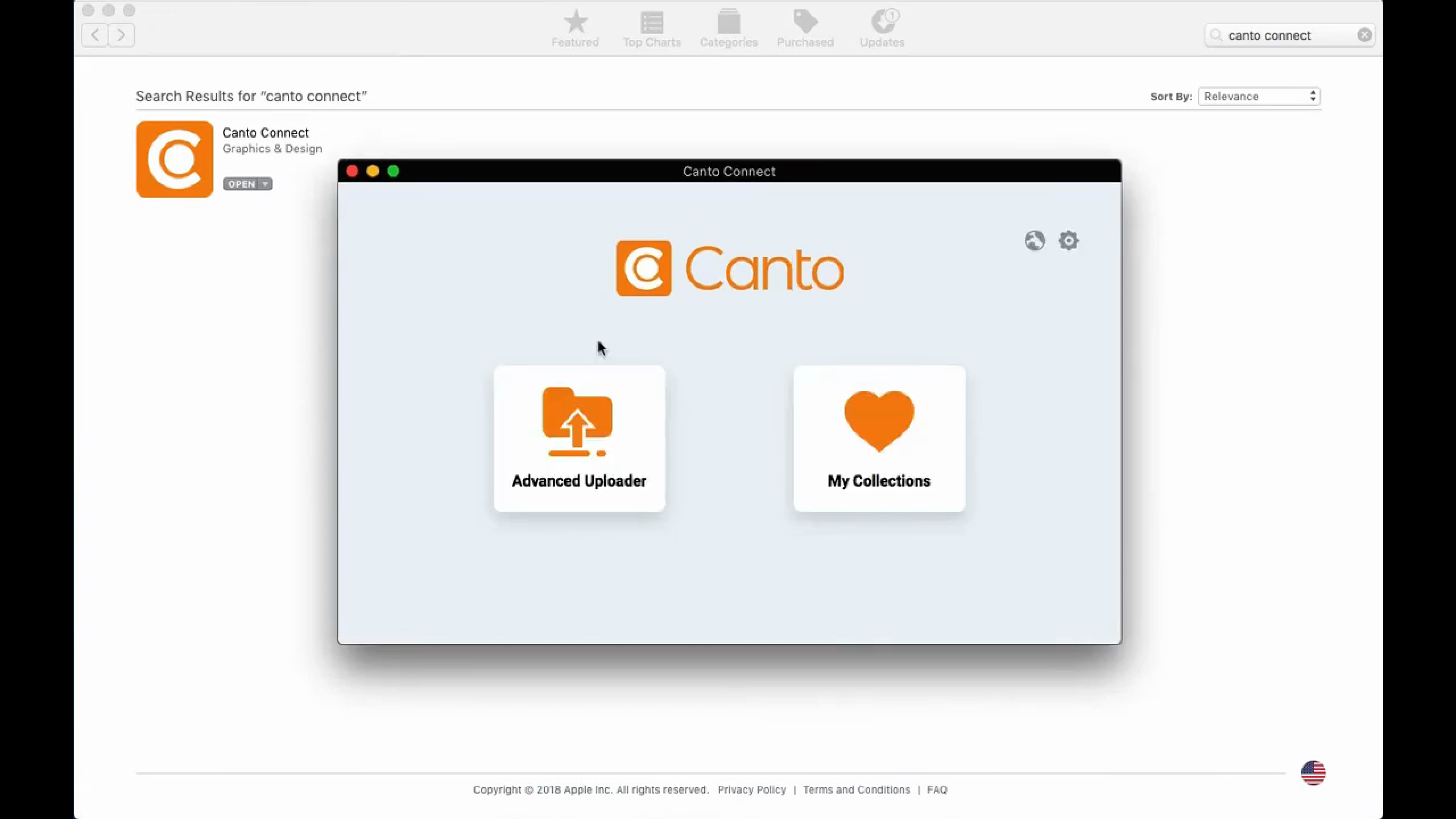
The issue for this comparison is what happens to the media itself. The workflow I found is fundamentally about copying media into the Canto library rather than pointing Canto at a large production storage system and managing those originals in place.
That distinction depends heavily on library size
If you've got 40,000 brand images, copying them into a DAM may be perfectly reasonable. It may actually be the simplest way to manage the collection.
Video changes the equation because the counts & file sizes get large very quickly: camera originals, high-resolution masters, image sequences, project renders, proxies, and archive project versions. A collection like that can easily move into hundreds of terabytes, and large media organizations can reach petabyte scale.
At that point, “bring the media into the DAM” is no longer just an upload/copy workflow. It's part of your storage architecture and migration plan.
I also didn't find an equivalent to the duplicate or Smart Copy workflow described above, or the same kind of hybrid model where existing high-res originals simply become part of the cloud MAM experience while remaining on your NAS or SAN
Where Canto fits: It can make a lot of sense for traditional DAM-sized collections. If your main requirement is managing an existing, very large production library in place, I'd make storage architecture one of the first things you evaluate.
4. Orange Logic: a strong hybrid model with more infrastructure
Orange Logic gets substantially closer to the type of hybrid workflow I was looking for.
Its Docker container based Media Bridge on desktop allows high-resolution originals to remain on existing storage while proxies and metadata can be made available through the cloud environment. That means you don't have to copy the entire high-res library into another storage system.
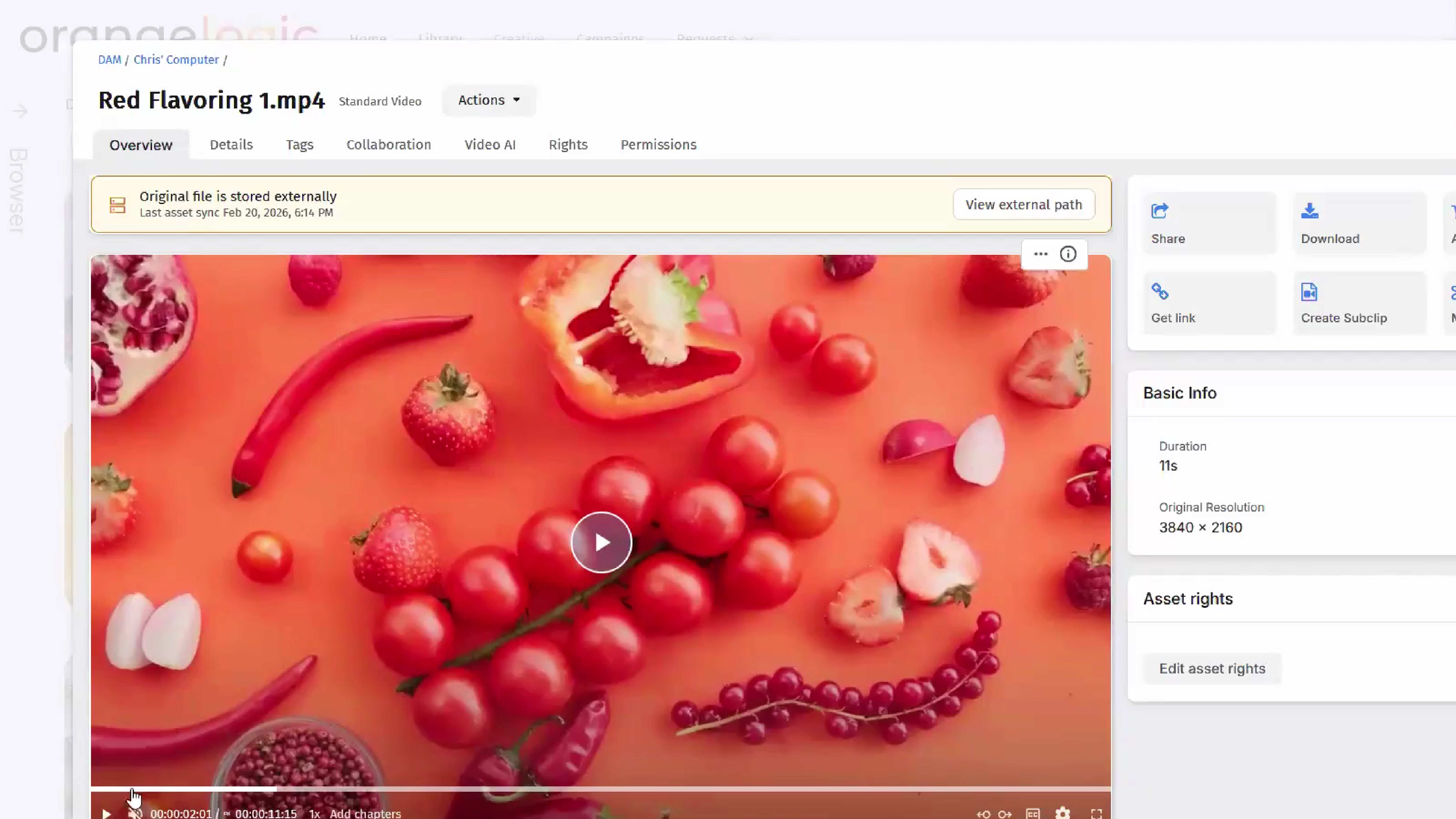
For production teams sitting with very large video libraries, that's an important capability.
The tradeoff is operational complexity
Media Bridge is another component in the client-side architecture. That means another piece of software has to be deployed, configured and managed on every workstation!
The platform also feels more like a traditional enterprise MAM. That's not necessarily a negative, but there are more concepts, more configuration options and generally more administration involved than in some of the lighter products.
In the workflow I tested, I also didn't find the same duplicate handling approach as Evolphin X, or the same style of storage change notification.
So Orange Logic has a credible hybrid storage story, but I'd factor the infrastructure around it into the buying decision rather than looking at BYOS as a simple checkbox.
5. Ziflow: good review workflow, different problem
Ziflow was the easiest platform in this list to separate from the others because its primary job is different. The product is mainly focused on review and approval workflows.
It can work with files from private Amazon S3 storage as part of those workflows, and the UI is modern and straightforward. What it isn't really designed to do is take a large existing production storage environment and turn that storage into a continuously managed, searchable MAM library.
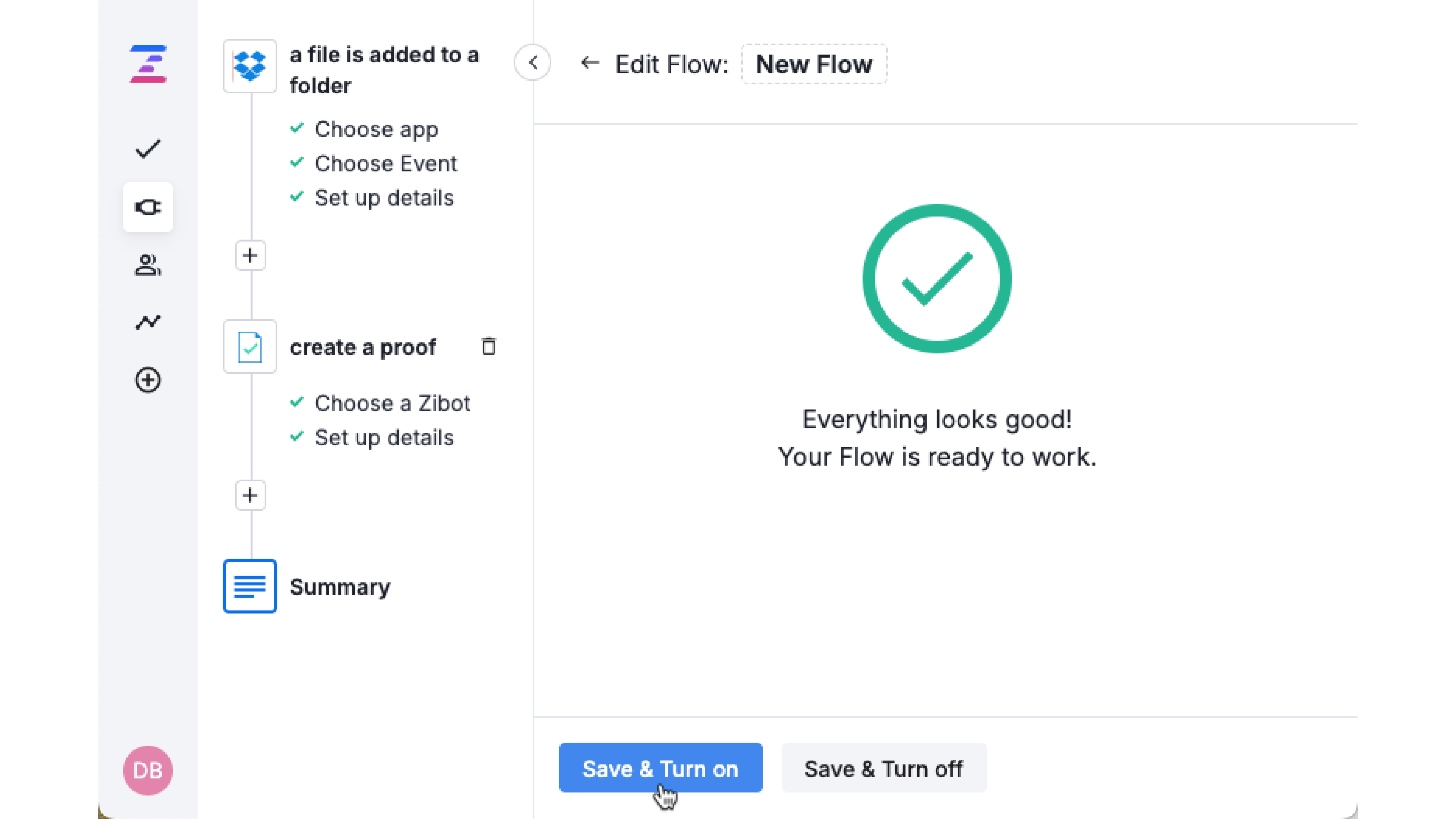
If I need clients or internal stakeholders to review a cut, leave comments and approve creative, Ziflow belongs in that conversation. If I need to index millions of production assets sitting on a NAS and make them searchable across an organization, I'd be looking for a different type of platform.
Where Ziflow fits: Excellent to evaluate around review and approval. I wouldn't choose it specifically as the BYOS layer for a large production media library.
6. MediaValet: the library comes into the platform
MediaValet is another product with a fairly approachable, traditional DAM experience. Getting an existing media collection into the platform isn't particularly difficult to understand.
The important distinction is that the cloud connector workflow I looked at is about copying files into MediaValet rather than continuously managing your original production storage in place.
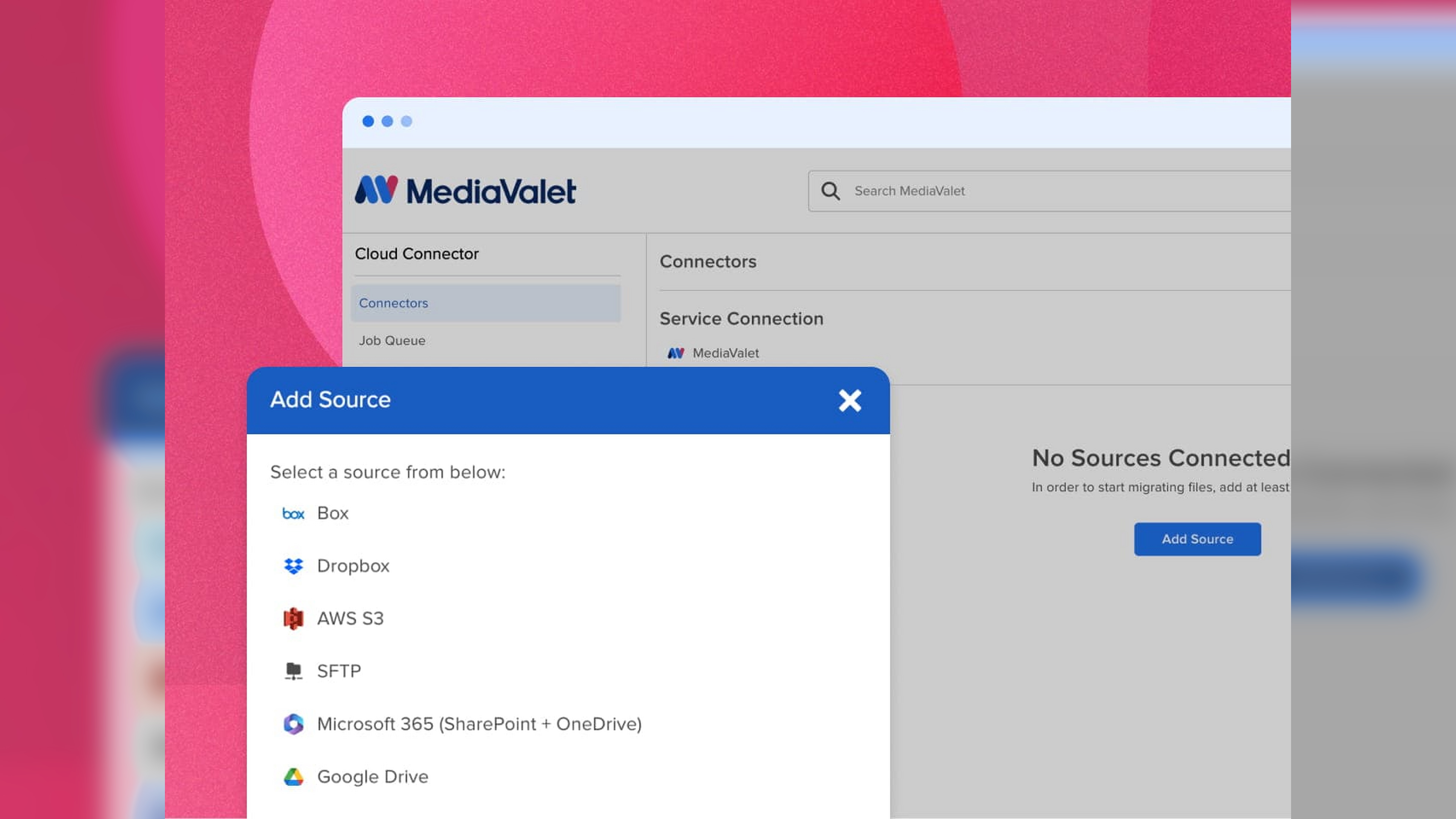
For a smaller library, that may be absolutely fine. As the media footprint gets larger, that architectural distinction becomes more important.
At large scale, copying becomes a migration project
Suppose the organization already has 600 TB of media across existing production storage. If adopting a new MAM means copying all of that somewhere else, the deployment now includes questions around transfer time, network bandwidth, storage duplication, cloud storage costs, migration validation, ongoing synchronization and what becomes the new system of record.
Those issues can quickly become larger than the MAM software decision itself. Because the original production storage isn't continuously managed in place in the workflow I tested, you also don't get the same change model where the MAM simply reflects what changed on that storage.
Where MediaValet fits: It can certainly manage video and other media assets. But importing a media library into MediaValet is a different architecture from managing the media where it already lives.
The six questions I'd ask every MAM vendor
After testing these platforms, I wouldn't ask a vendor one broad question such as “Do you support bring your own storage?” It's too easy to answer yes.
Instead, I'd ask them to demonstrate these six things:
- Connect to our real storage. Don't start with a clean demo folder. Point the platform at something that resembles your actual NAS, SAN or cloud environment.
- Index it without copying everything. Ask the vendor to show exactly where the original files remain after indexing. If another copy is being created somewhere, understand why.
- Add new files outside the MAM. Drop a few thousand assets directly onto the connected storage and see how the platform discovers them.
- Rename, move and delete files. This tells you whether the platform understands changes to the underlying library or simply treats the storage as an import source.
- Create a duplicate of a large master. Take a large video master and add it somewhere else. Then look at whether the platform creates another physical copy, flags the duplicate or offers another logical reference.
- Test the hybrid workflow. Keep the high-resolution original on-prem and let a remote user work from the cloud. Ask what has to be installed locally to make that work.
For a broader evaluation beyond storage, use our MAM buyer’s guide.
You'll learn a lot more from those six tests than from a feature matrix with a green checkmark next to “hybrid storage.”
Which media asset management platform handled BYOS best?
For the specific workflows I tested, Evolphin X had the most complete BYOS model. It could work with existing cloud and on-prem storage, index media without forcing a migration, deal with duplicate media without necessarily creating another physical file, and track changes without depending on a complete library rescan.
Iconik is also a credible BYOS option, but I'd test its scan-based workflow carefully with a very large and frequently changing library. Orange Logic has a strong hybrid story through Media Bridge, although there's more infrastructure and configuration involved.
Canto and MediaValet are much more oriented around bringing assets into their respective libraries. That can be perfectly reasonable for DAM-sized collections, but it becomes a bigger architectural decision once the media footprint is measured in hundreds of terabytes or petabytes.
Ziflow is solving a different problem around review and approval, so I wouldn't choose it specifically for this job.
The main lesson from the comparison is simple: “works with your storage” and “manages your media where it already lives” are not the same thing.
For a relatively small asset library, that distinction may barely matter. For a production team sitting on years of high-resolution media, it could be one of the first things worth testing.
Buying a new media asset management platform is already a significant project. You probably don't want to discover halfway through that you also bought yourself a petabyte-scale migration.

.avif)