

Media Asset Management,built for the AI era.
Store, process, search, edit, and distribute your media with Evolphin X's AI-powered MAM. Bring your own storage, skip the enterprise bloat, and get productive fast.











Media workflows changed. Most MAMs didn’t.
Media operations have become more complex. Legacy MAMs haven’t kept up, and bolting on AI doesn’t fix what’s underneath.
So we asked ourselves: what would a MAM look like if we built it today?
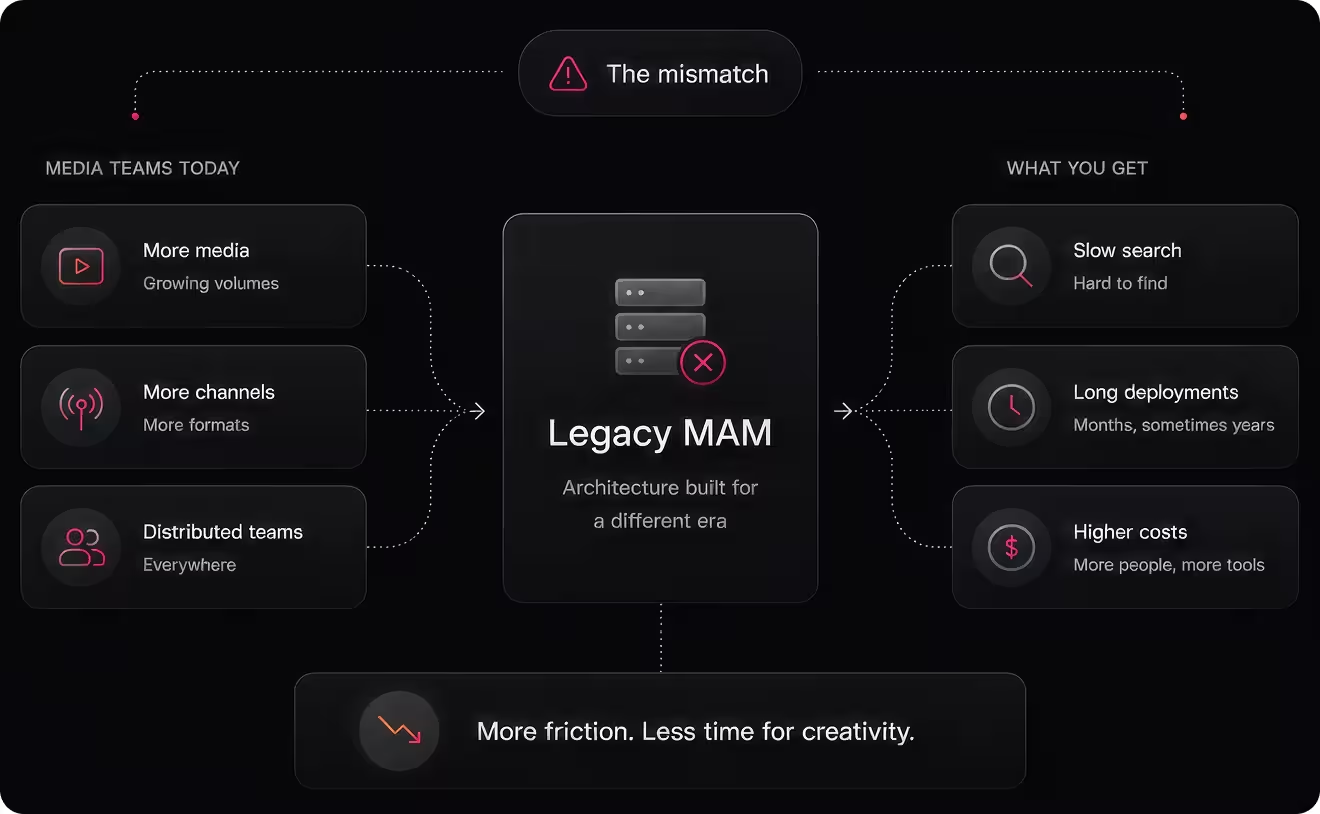
Everything your media team needs in one workflow
Built around the way production teams actually work - with an AI core that makes finding and working with media as easy as asking a colleague.

Ask your media library anything.
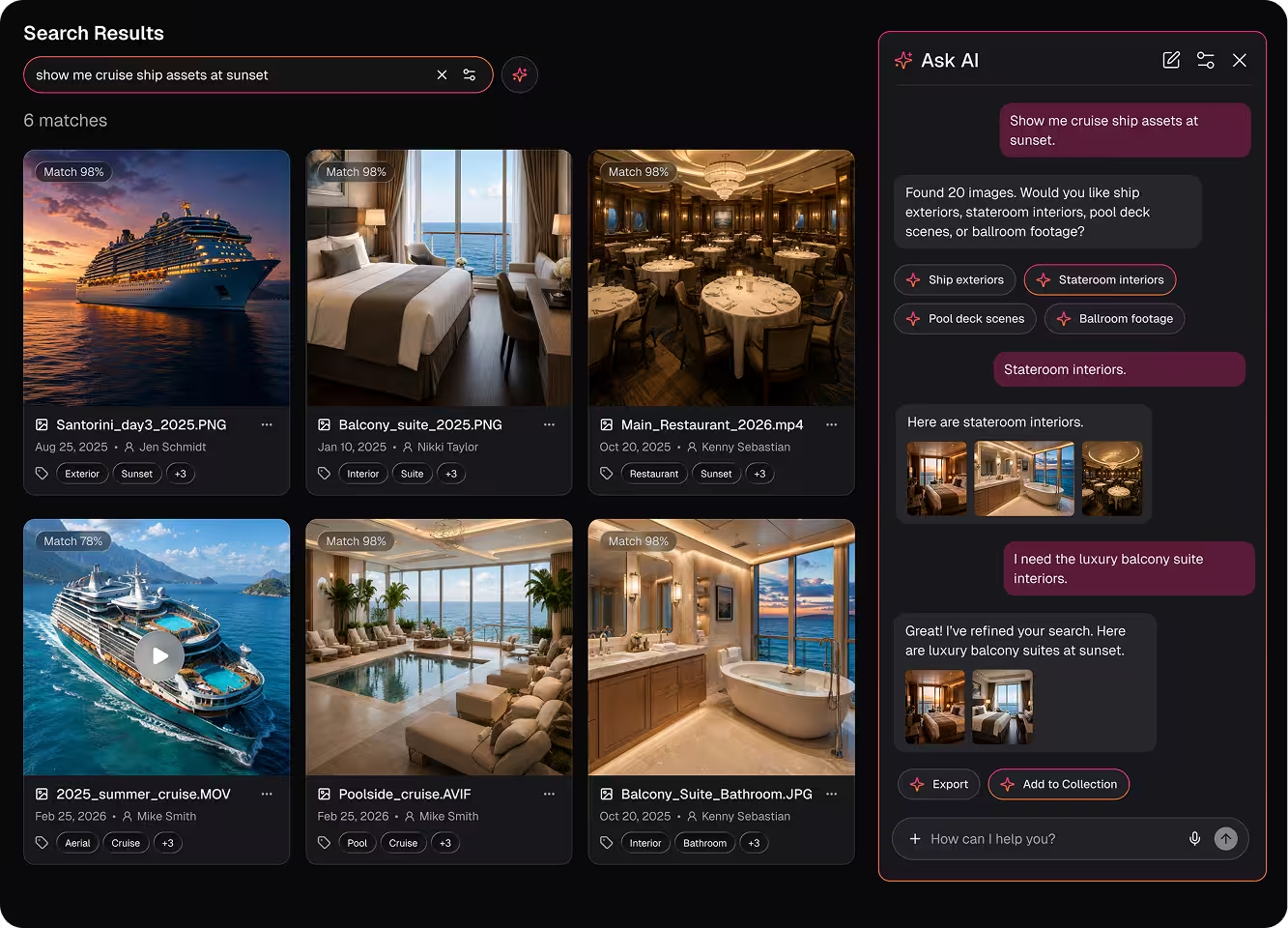
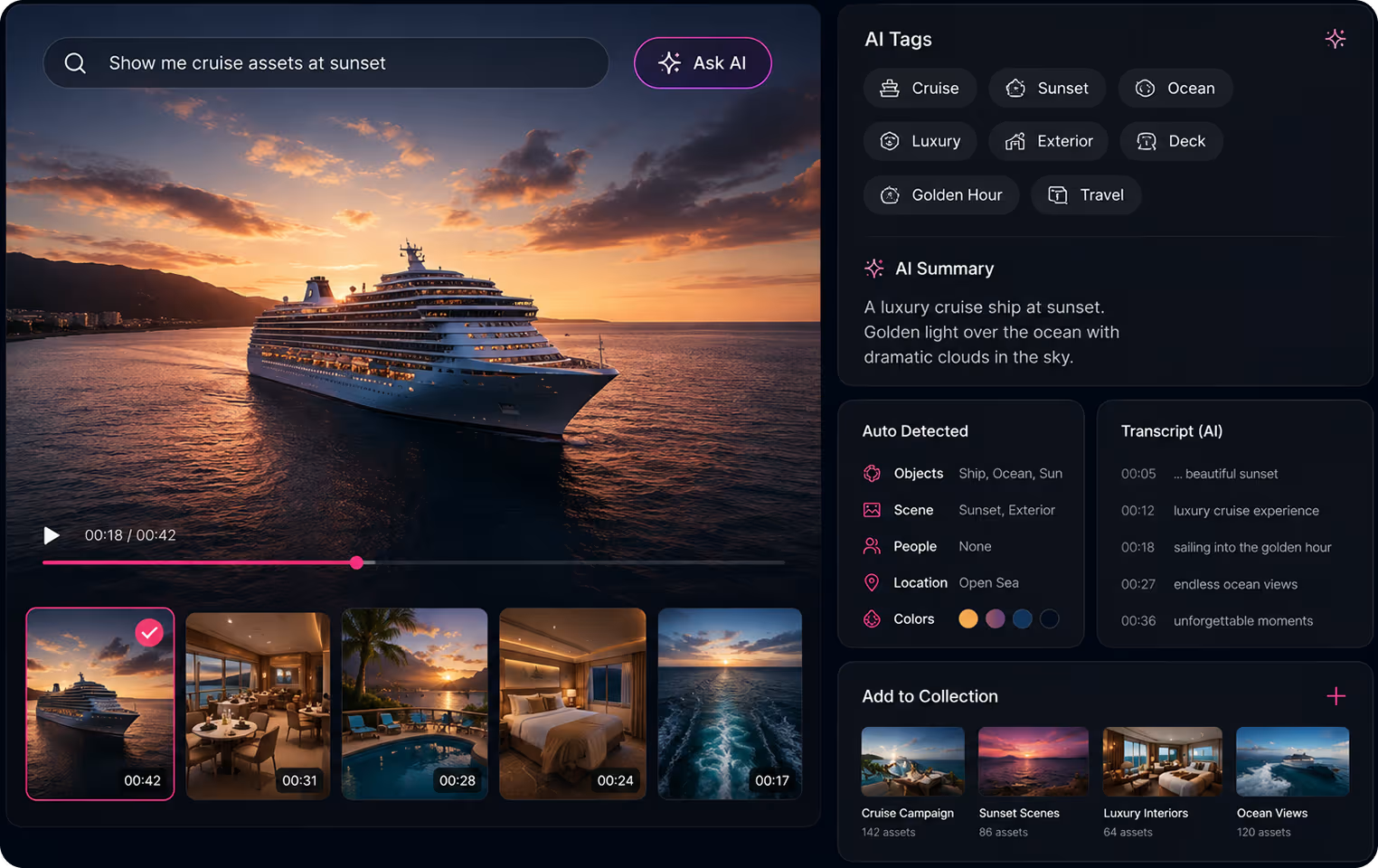
Let AI understand and organize every asset
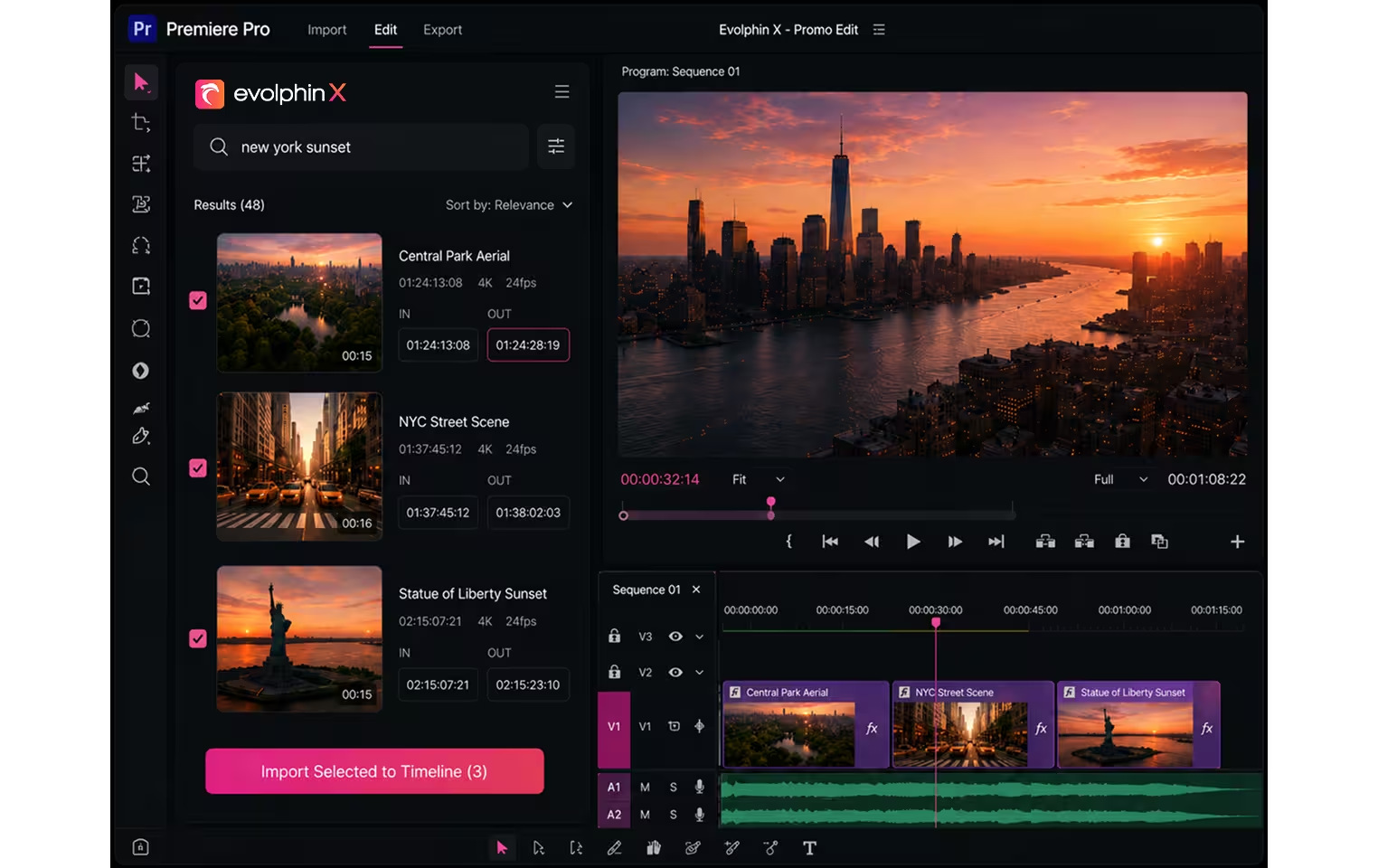
Work in the tools you already use
Share, review, and approve from anywhere
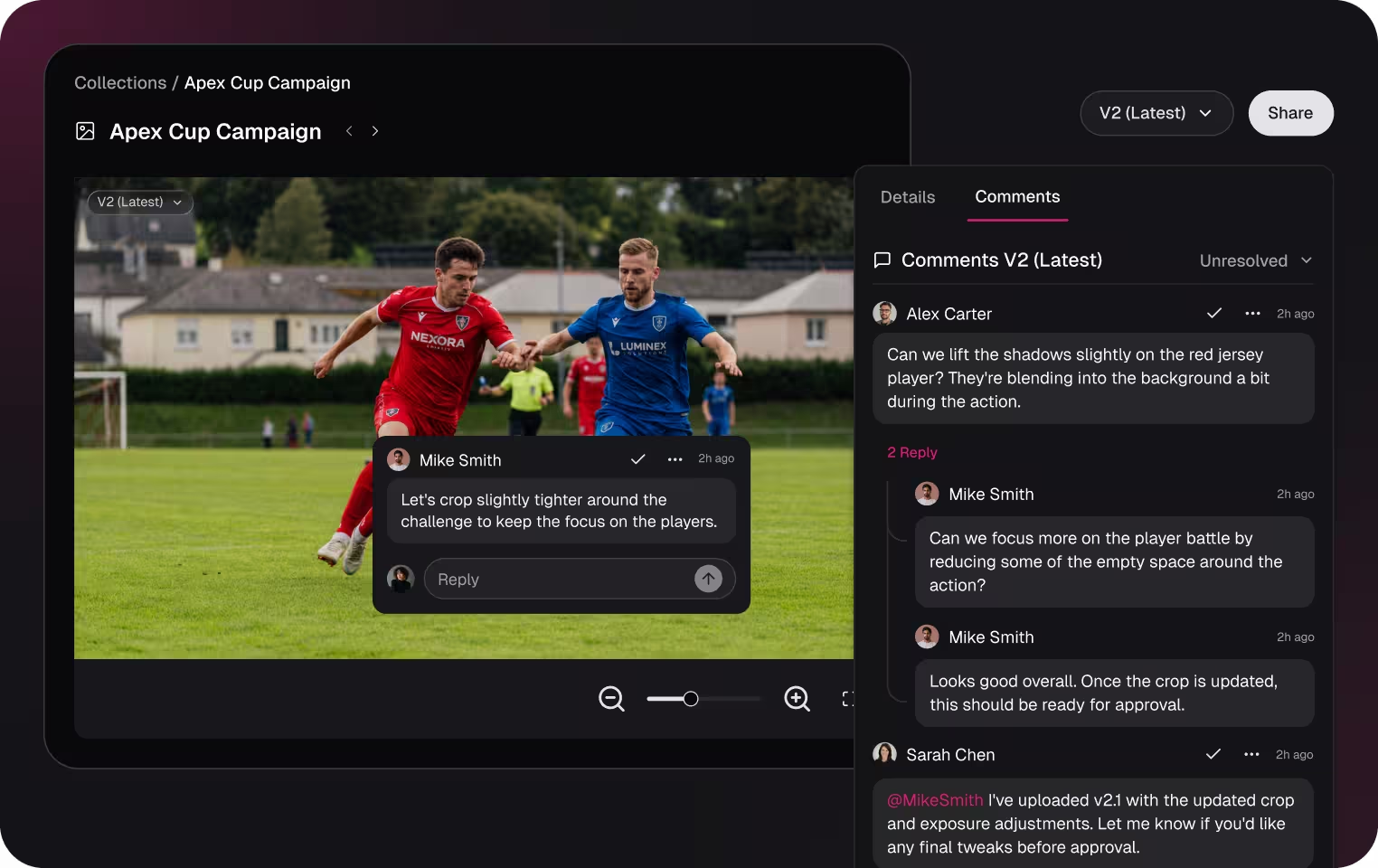
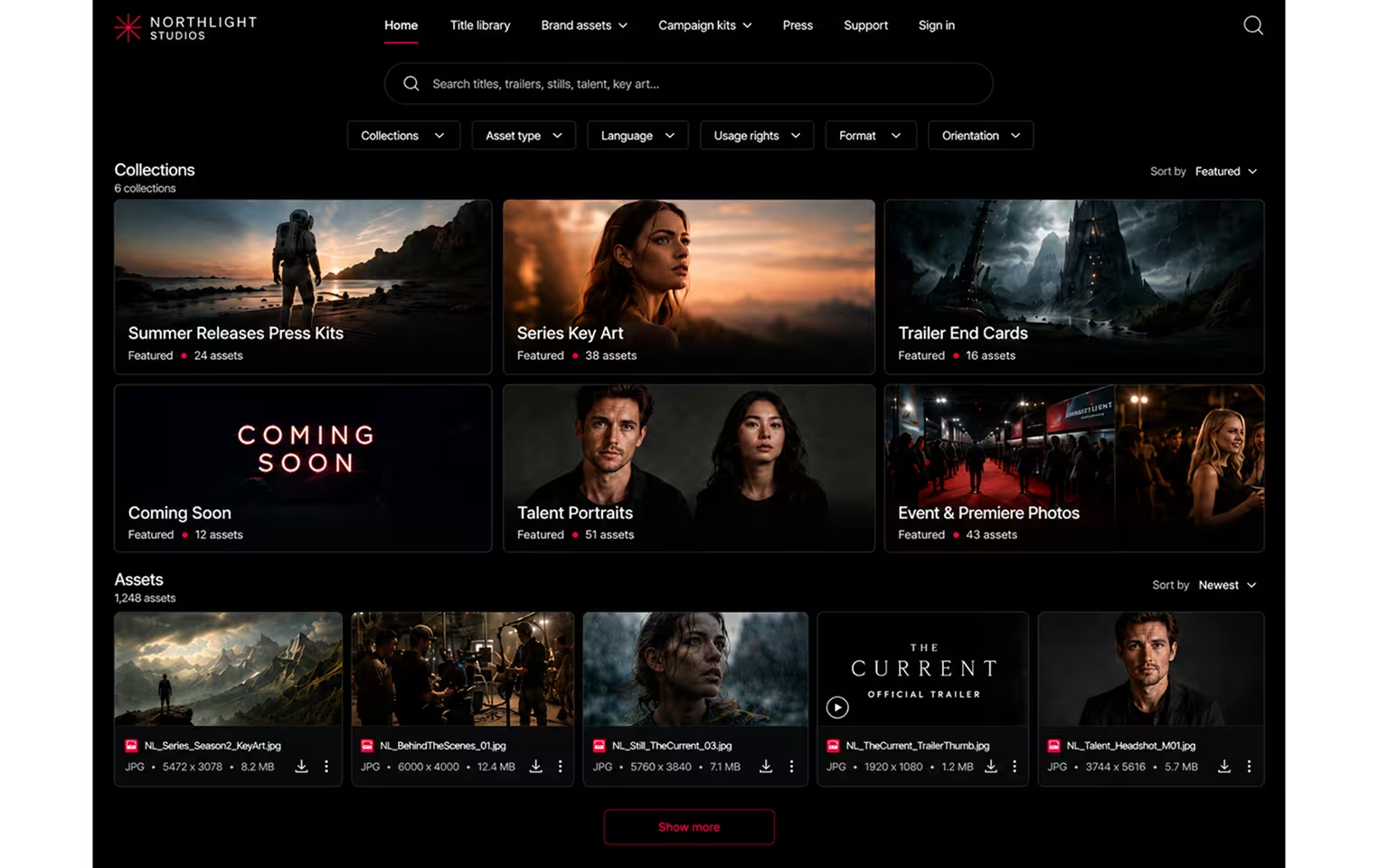
Turn your media library into a distribution channel
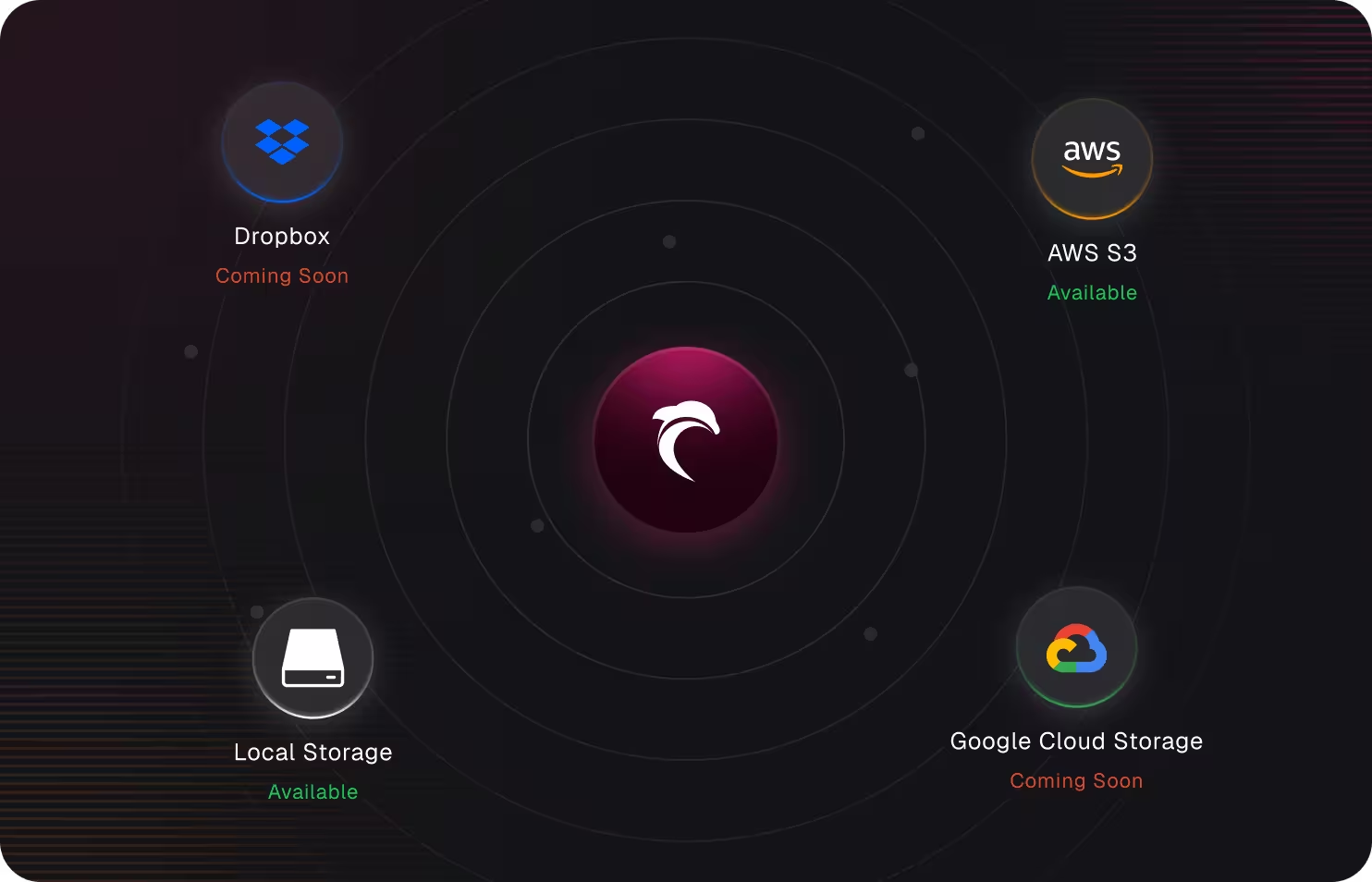
Bring your own storage
Reasons teams pick Evolphin X over another MAM
Not just what the platform does, but why teams choose it over the alternatives.
Buy what you need, not the whole platform
Pick the capabilities and modules your team actually needs and uses today, and skip the rest.
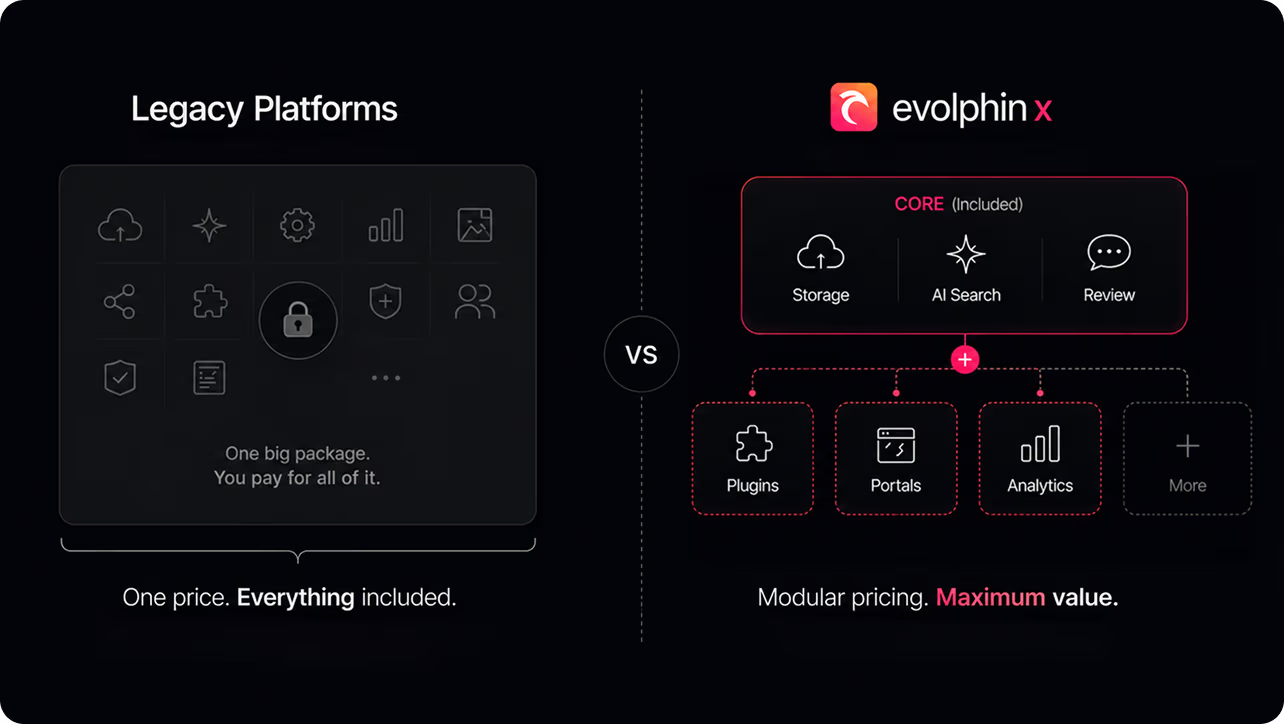

Live in weeks, not months or years
Start with the Core and grow at your own pace, adding or removing modules as your needs change. Evolphin X can be deployed in weeks and without a specialist.
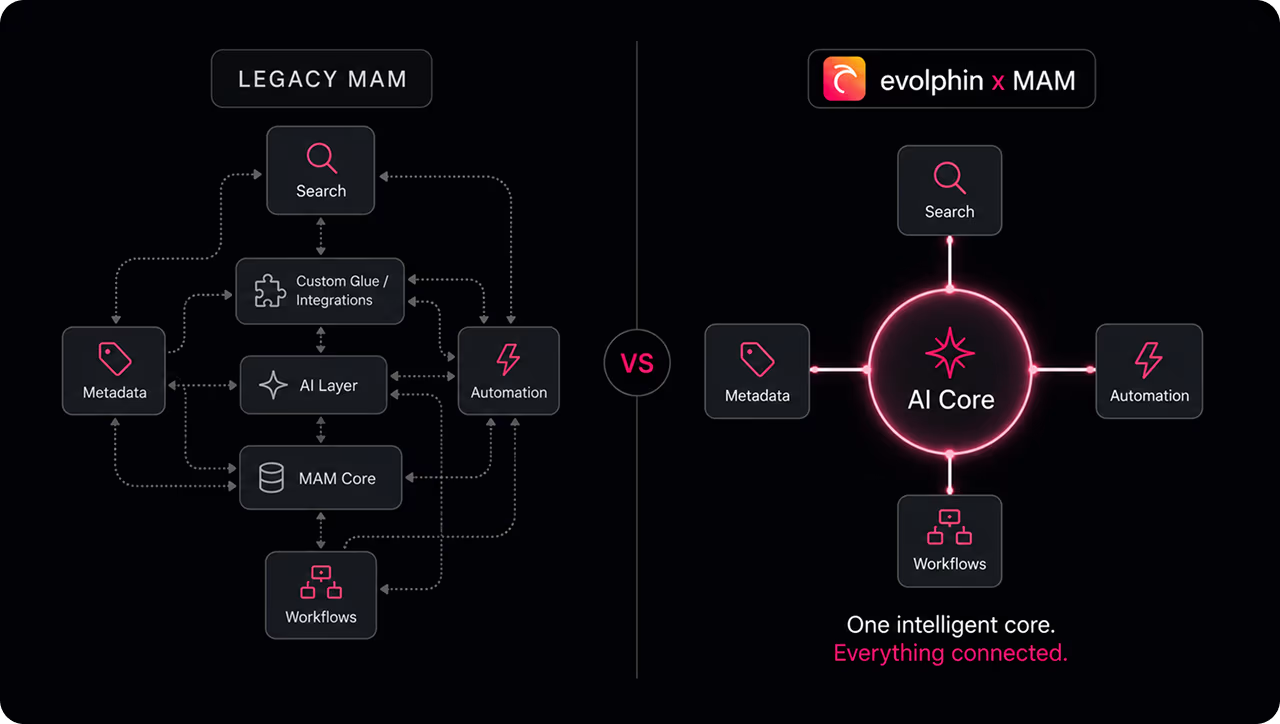
AI at the core. Not bolted on.
Search, tagging and automation are built into the AI Core - not layered onto legacy infrastructure. Every module and integration works around the same foundation, keeping AI simpler to manage and costs visible and under control.
Personalized support, not a ticket queue
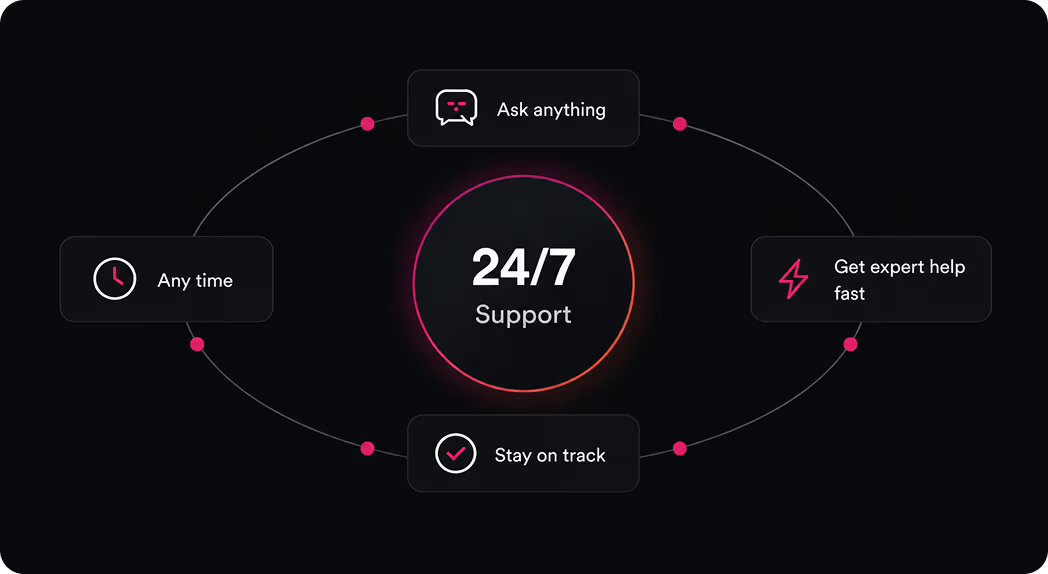
Talk directly to a team that knows your setup and workflows. With teams across the globe providing 24/7 support, expert help is always a call away.
Open API, built for what's next
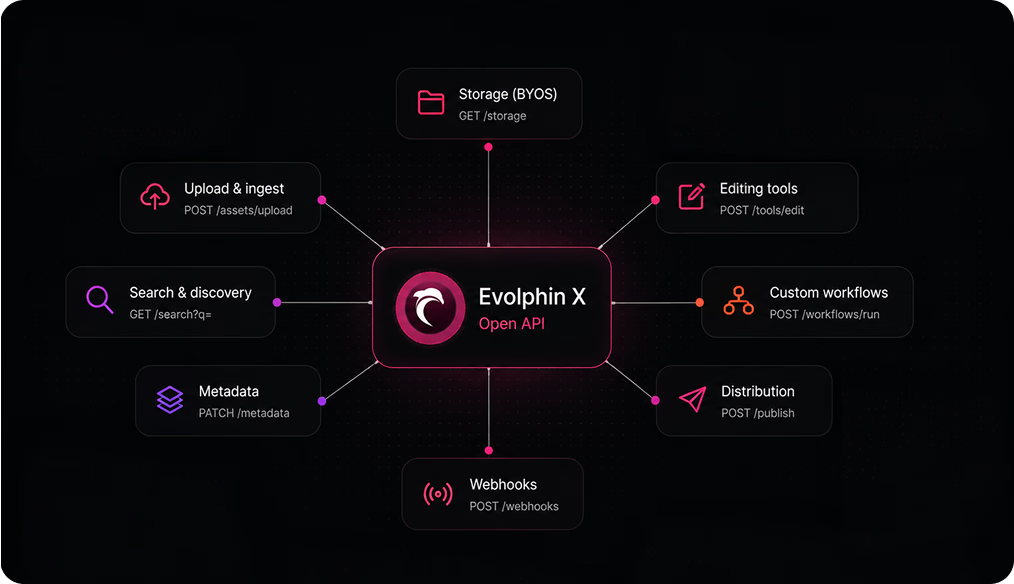
Evolphin X is designed to fit into your existing workflows. As your business grows, our open API makes it easy to plug in new tools and capabilities without disrupting how your team works.
Built for today, designed for an autonomous future
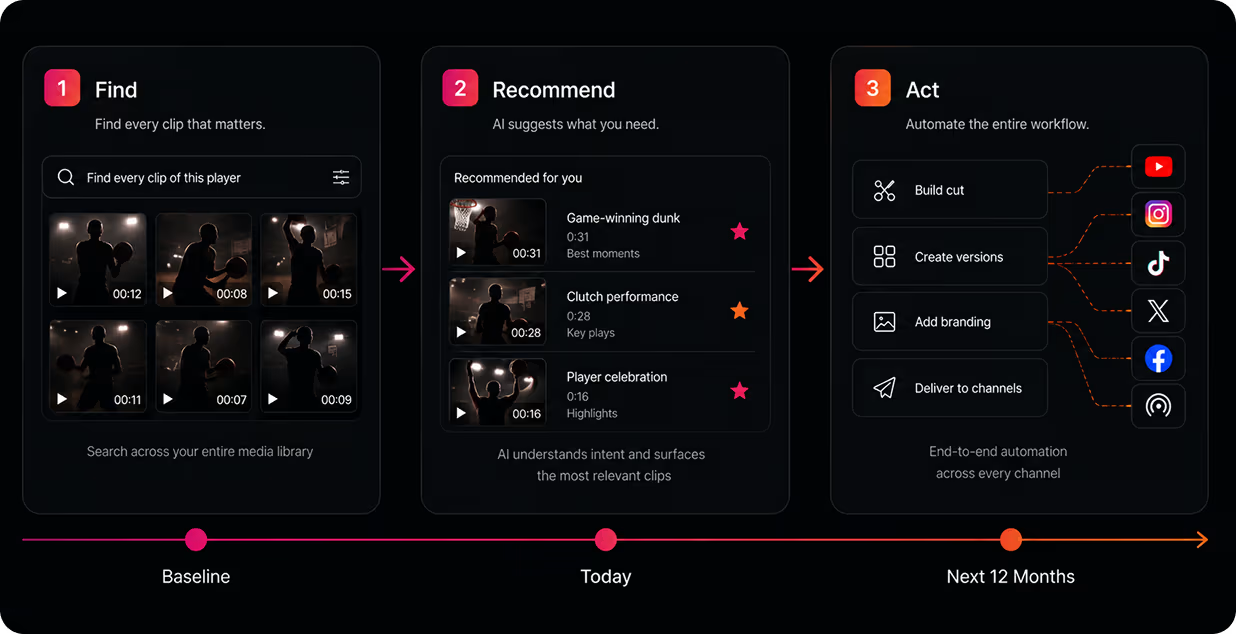
Evolphin X is the foundation for more autonomous media operations - understanding your content and workflows so it can increasingly help execute them.
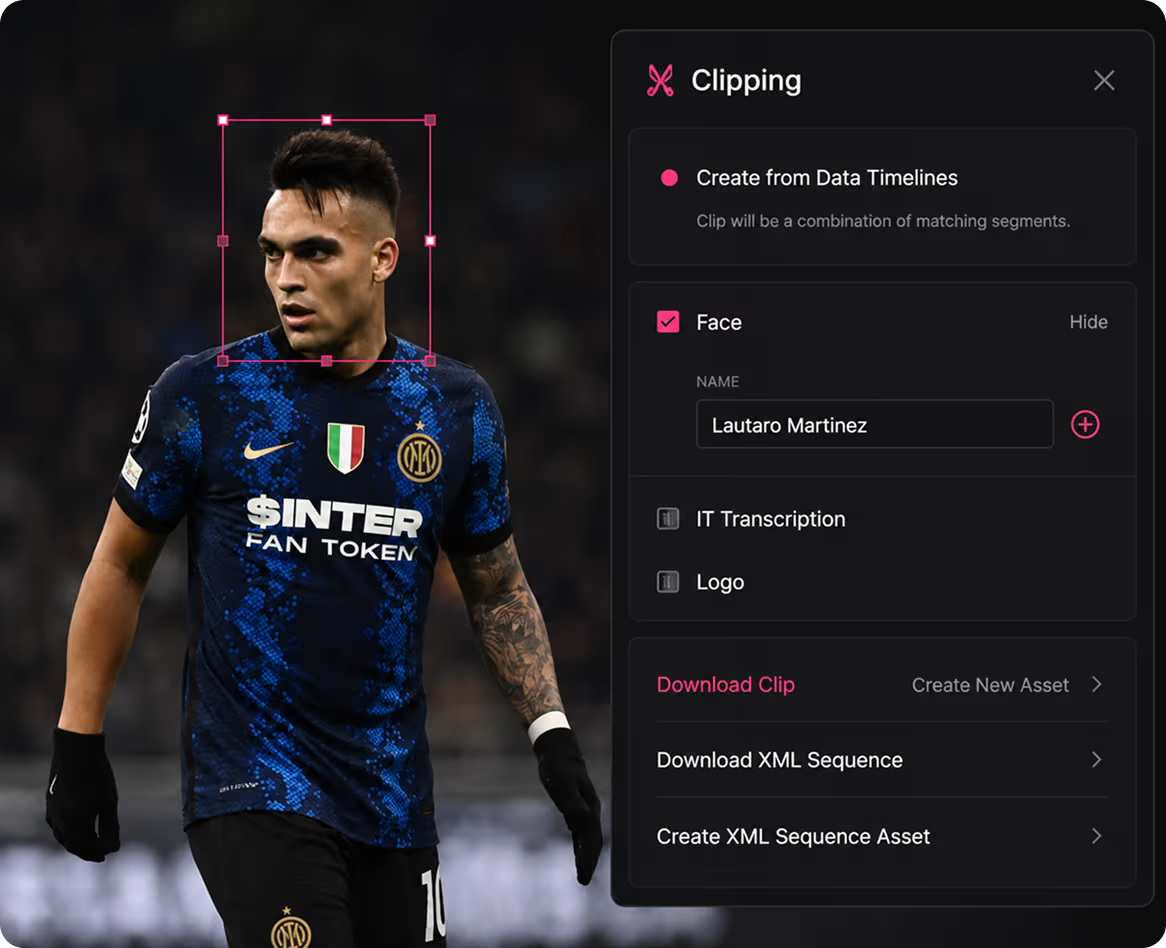
From months of searching to minutes of editing.
Inter Milan indexed 21,000+ hours of footage (over 600 TB) into Evolphin. Using AI facial recognition and automated metadata tagging, their team now assembles video sequences in minutes instead of months, turning a vast historical archive into a living creative resource.


What is Media Asset Management?
A Media Asset Management (MAM) system, also called video asset management software or digital media asset management, is software for storing, searching, processing and distributing video, audio and production media at scale. Dropbox and Google Drive are built to store and share files. A MAM indexes what is inside them, so a two-hour master is searchable by face, logo, spoken word or timecode instead of just by filename.
As video becomes one of the most powerful ways businesses communicate with customers, MAM is becoming something bigger: the media backbone connecting production, marketing, websites, social, advertising and the teams that work with content.
What media asset management software needs to do in 2026

Multimodal Al search in natural language

Unified media and brand portals
Automated format conversion

Bring your own storage, cloud or on-prem
Real-time video collaboration
Choosing the best MAM in 2026
Can we find what we need?
Will it scale with our business?
What manual work disappears?
Does it work with what we have?
Can we keep the storage we already have?
What does it actually cost to own?
Read the full MAM Buyer's Guide
DAM vs. MAM: what do you need?
A MAM adds the processing power for high-resolution video ingest, transcoding, and delivery at scale. Here is how it compares to a DAM or PAM.
Get an Evolphin X Demo Today
Let our experts show you how the autonomous MAM works with a personalized demo. See how to:
- Talk to the AI like it’s a colleague
- Plug in different storage sources
- Collaborate across continents
- Work across your existing tool stack
We'll only use this to get in touch. No spam
Frequently Asked Questions
What is media asset management (MAM)?
Media Asset Management (MAM) is workflow software for storing, processing, and distributing high-resolution video and multimedia files at scale. It adds the ingest, transcoding, and archiving power that general-purpose file storage and basic digital asset management don't have. It is often also called video asset management software or digital media asset management.
Do I need a MAM, or is a DAM enough?
If your team mostly handles finished, brand-ready files under 100 MB, a Digital Asset Management (DAM) system is likely enough. If you're managing raw or high-resolution video, large asset volumes, or need transcoding and proxy workflows, you need a Media Asset Management (MAM) system.
When do you need a MAM?
Usually when four things start happening at once: nobody can find footage without asking the person who shot it, freelancers and remote editors are working from copies rather than the source, your team spends more time moving files than editing them, and your cloud storage bill is growing faster than your archive. Any one of those is manageable on its own. Together they mean you have outgrown shared drives.
Who uses MAM software?
Media managers, producers, archivists, and studio operators use MAM to handle high-resolution video at scale: ingest, transcoding, AI search, and delivery. In Evolphin X, marketers, agencies, and creative freelancers use the same platform for brand assets and production work
Can I use Media Asset Management software for my marketing department?
Yes. Because Evolphin X is a 3-in-1 MAM + DAM + PAM platform, marketing teams get a DAM-style experience for finished, brand-ready content (fast search, filtering, and download) while media teams use the full MAM for high-resolution video. Everyone works from the same single source of truth.
Does a MAM work with Adobe Premiere, Avid, and DaVinci Resolve?
Yes. Evolphin X plugs directly into Adobe Premiere Pro, After Effects, Avid Media Composer, Final Cut Pro, and DaVinci Resolve, so editors can browse, check out, and version assets without leaving the timeline. Nothing has to be downloaded and re-uploaded to stay in sync.
Can MAM software do version control?
Absolutely. Evolphin X provides automatic version control with conflict detection, so distributed teams and freelancers can collaborate in parallel without overwriting each other's work or losing a cut. Every change is tracked and recoverable.
How does a MAM track usage rights?
Usage rights travel with the asset as metadata, so license windows, territories, and talent restrictions stay attached to the file rather than living in a spreadsheet someone forgot to update. Evolphin X can check those rights automatically before an asset is published or shared externally.
Can I keep my own storage, or do I have to migrate?
You can keep it. Evolphin X connects to storage you already own, including Amazon S3, Azure Blob, Google Cloud, Wasabi, Box, and on-premises NAS, and indexes media where it already lives. There is no requirement to move petabytes into vendor-controlled storage before you get value from the system.
Does MAM software work in the cloud or on-premises?
Both. Evolphin X offers a fully managed, single-tenant cloud deployment on dedicated, isolated resources for stronger security. It also supports on-premises and hybrid setups, so you can match your infrastructure and compliance requirements.
How long does it take to choose and roll out a MAM?
Most organizations run a structured evaluation over two to four months: define goals and stakeholders, audit current assets and workflows, shortlist and demo vendors, run a proof of concept, then validate integrations and security before rollout. Our buyer's guide walks through each step.