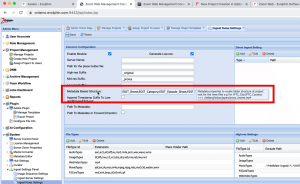
Using Metadata Driven Folder Schema
This article helps you to understand how to use Metadata Driven Folder Schema.

This article helps you to understand how to use Metadata Driven Folder Schema.
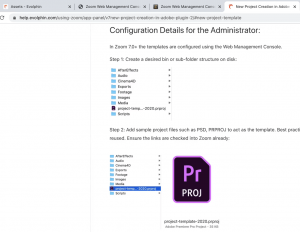
This article helps you to understand how to set up new project templates in Repository Schema.
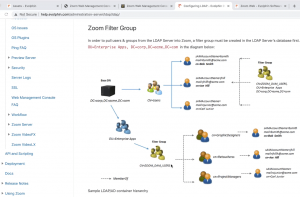
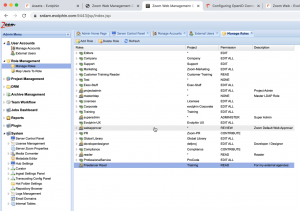
This article helps you understand about the content related to Users & Roles.
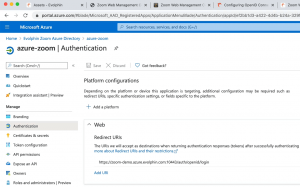
This article helps you to understand the User Authentication Options. How can you set up LDAP and Single Sign On user authentication.
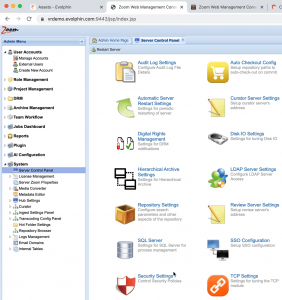
This article helps you to understand the User Authentication Options. How can you set up LDAP and Single Sign On user authentication.

This article helps you to understand about user authentication options, setting up LDAP and setting up SSO in Zoom.
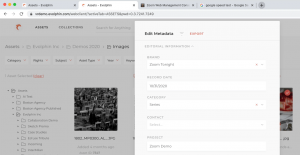
This article helps you understand how to Ingest & Edit metadata in Web Client.

This article helps you to understand the User Authentication Options. How can you set up LDAP and Single Sign On user authentication.
Learn how to install desktop browser, Adobe CC plugins & more »
Learn how to manage content, metadata, users roles & much more »
Learn how Zoom helps Business Owners track job approvals, generate reports »
Collaborate with Clients, Review & Approvals
Producer-Editor collaboration, repurpose finished content
Trends, Analytics in Real-time from your Content Repository
Zoom user adoption process, Return on investment
Learn how Zoom helps Media Managers acquire, manage & administer their content »
Migrate archives, Ingest New Media Every Day
Folders, Working Copies, Smart Links Change Thumbnail
Manage Users & Roles, Protect On-premises Storage
Transcoding, Digital Rights, Cleanup, Previews
Configure Cloud Archives, LTO, Auto Tiering Policies
KPI Trends, Periodic Reports, Export CSV
Zapier, REST API, Search & Execute Actions
Download Media, Cloud to Cloud Transfers Links
Context Indexing, Configure, Logs, Monitor
Learn how Zoom helps Content Creators, Editors & Artists speed up their workflows »
Create New Project, Clone Existing Project
Ingest & Link with Images, High-res Media, Graphics
Folders, Working Copies, Smart Links, Change Thumbnail
Ingest & Link with Images, High-res Media, Graphics
Check-out files, Lock, Sync Projects & links, Check-in Revisions
Collaborate with Business Owners, Review & Approvals
Work from home, Remote Ingest, Edit with Low-res Proxies
Export Projects, Render, Final Conform to High-res media
Search using AI, Automatically Create Video Sequences